

Industrial software & automation · Sunshine Coast, Queensland
Job and time tracking for manufacturers, equipment management for workshops and fleets, warehouse systems and the automation that connects them — designed around how your floor actually works.
What we do
Vantix Automation builds the software that industrial businesses run on — and connects it to the machines, people and systems around it.
We’re a Queensland business working with operations that generic software doesn’t fit. Every system starts with time on the floor: how jobs move, where things are kept, what gets written down twice.
Who we work with
- Manufacturers and machine shops
- Fabrication and engineering workshops
- Plant, fleet and equipment owners
- Warehouses and distribution operations
Problems we solve
- Paper timesheets and unknown job costs
- Pre-start checks that never reach the office
- Stock that is hard to find and harder to count
- The same data typed into three systems
What you get
- Software designed around your process
- Screens built for gloves, glare and shared devices
- Connections to the systems you already use
- Local support from the Sunshine Coast
A manufacturer timing jobs on the floor. A workshop keeping its equipment accountable. A robotic warehouse, a service centre, a builder, a sales team. Each needed something different — so each system is different.
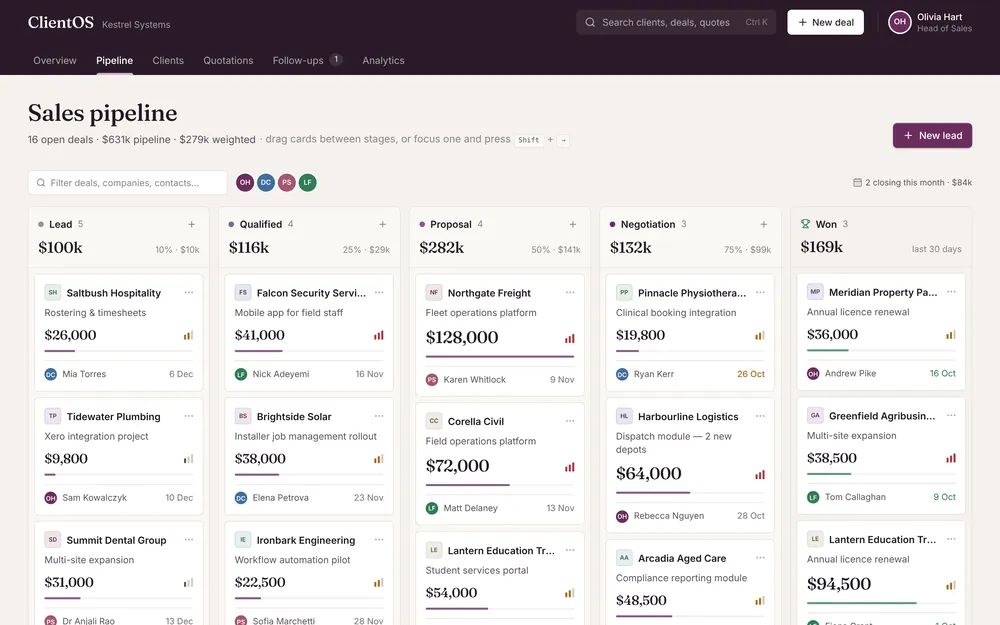
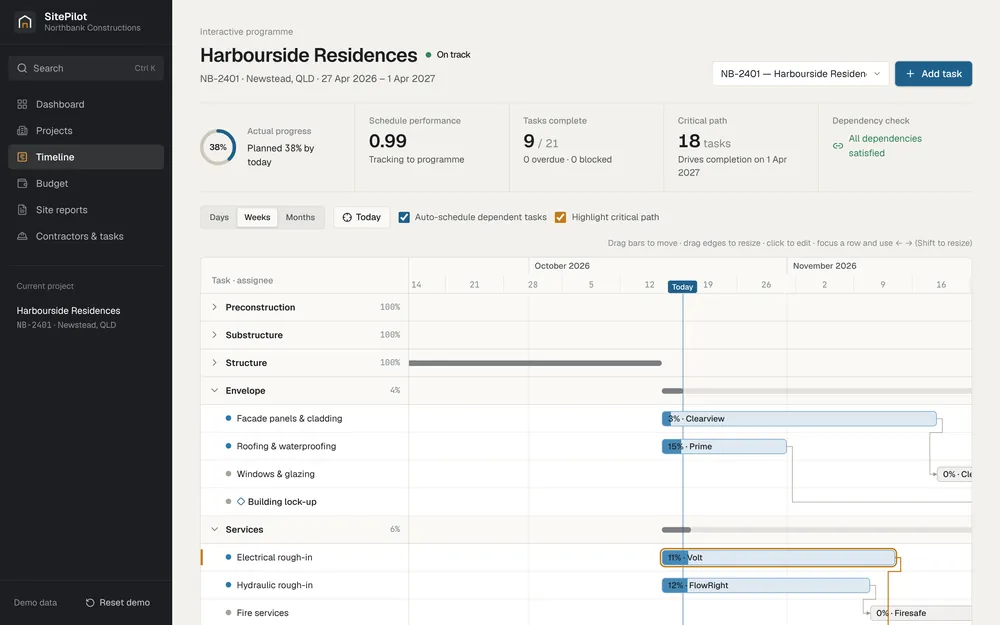
- PulseWorkshop & manufacturing operationsCase study
- Warehouse OSWarehouse automation & roboticsDemonstration
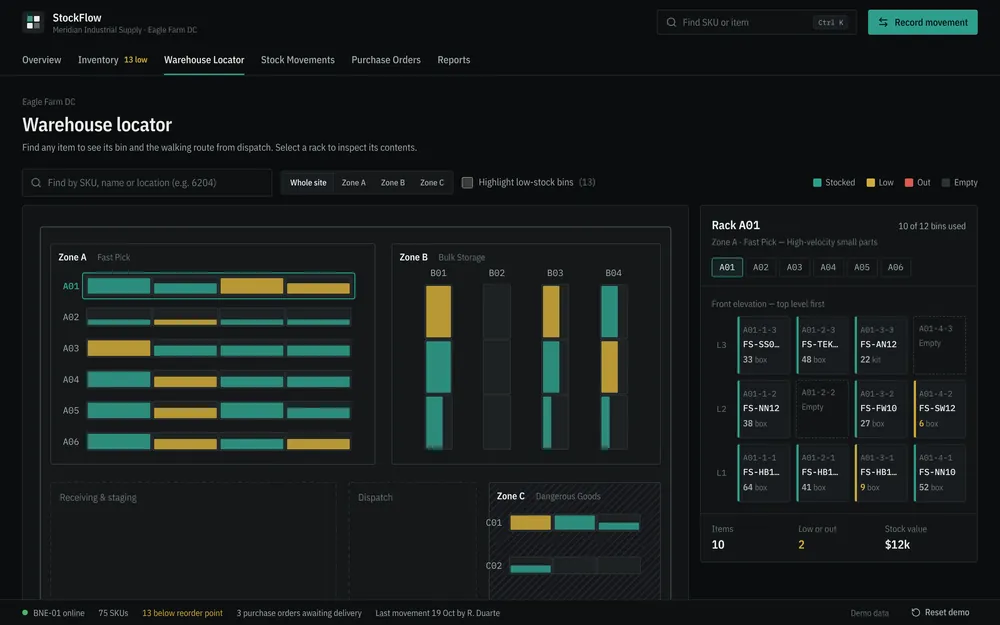
- StockFlowWarehouse & inventory operationsConcept
- ClientOSCustomer relationships & salesConcept
- SitePilotConstruction project managementConcept
- AssetForgePlant, fleet & equipment managementAvailable
- AutoFlowAutomotive workshop managementConcept
Industrial applications
Built for the floor,
not the boardroom.
Where our software is used, the problem it removes, and what we build to fix it.
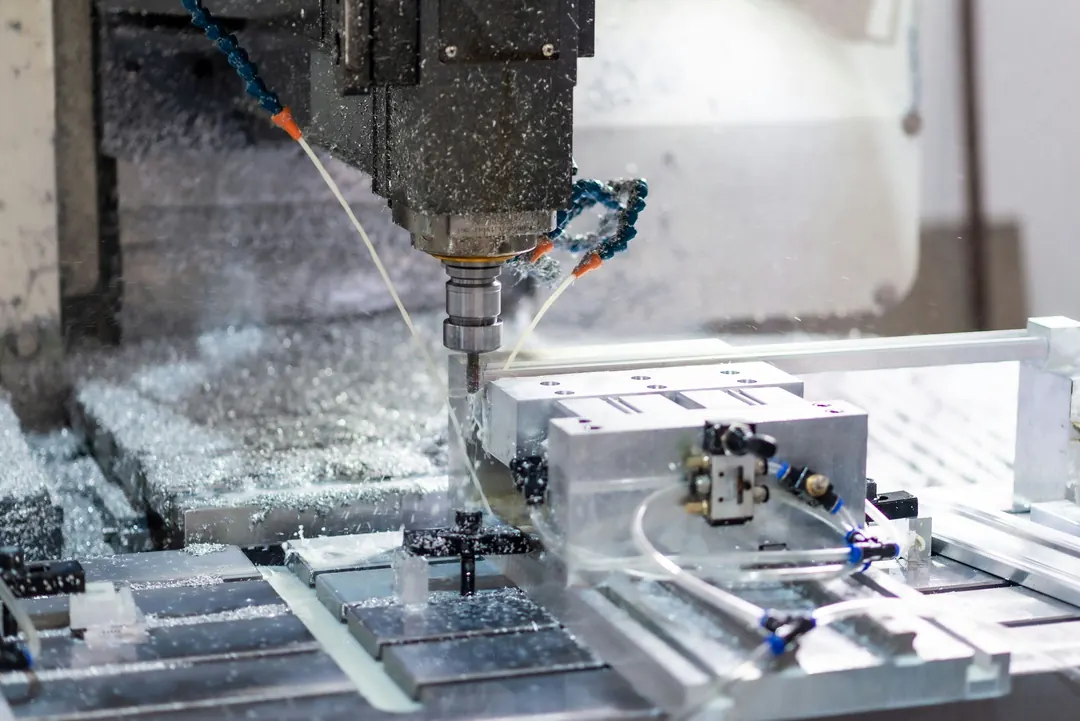
Manufacturing & machining
Job costs come from paper timesheets, and nobody knows what is actually on the floor until Friday.
- Shared-device clock-in against jobs
- Actual vs estimated hours per job
- Jobs imported from your MRP or ERP
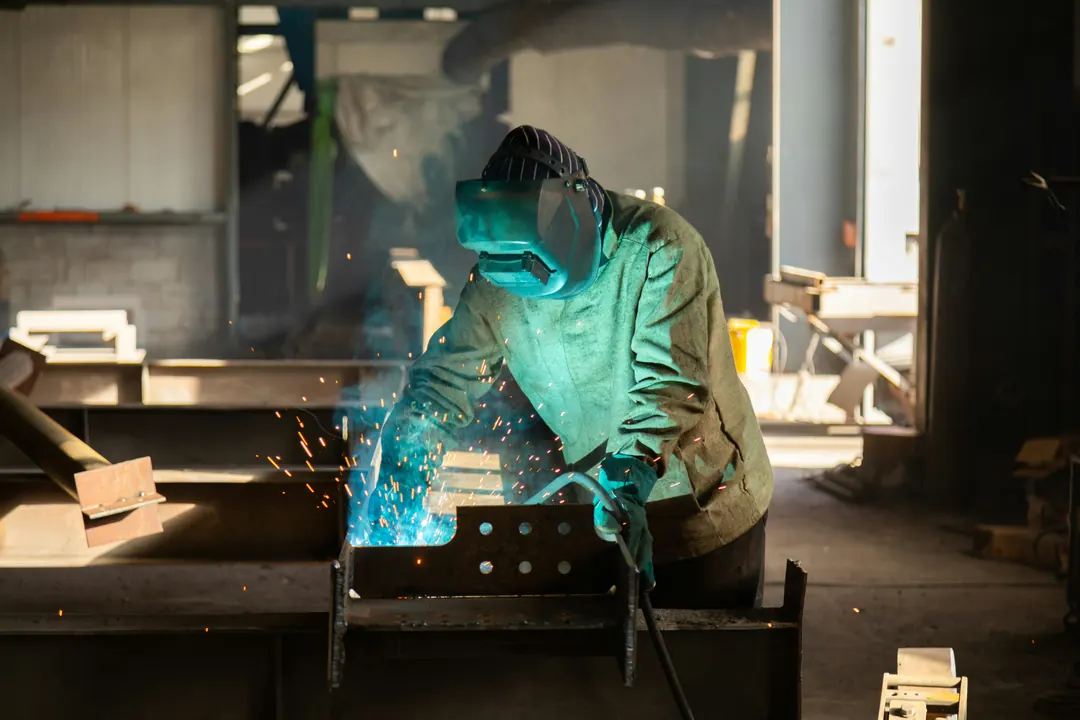
Fabrication workshops
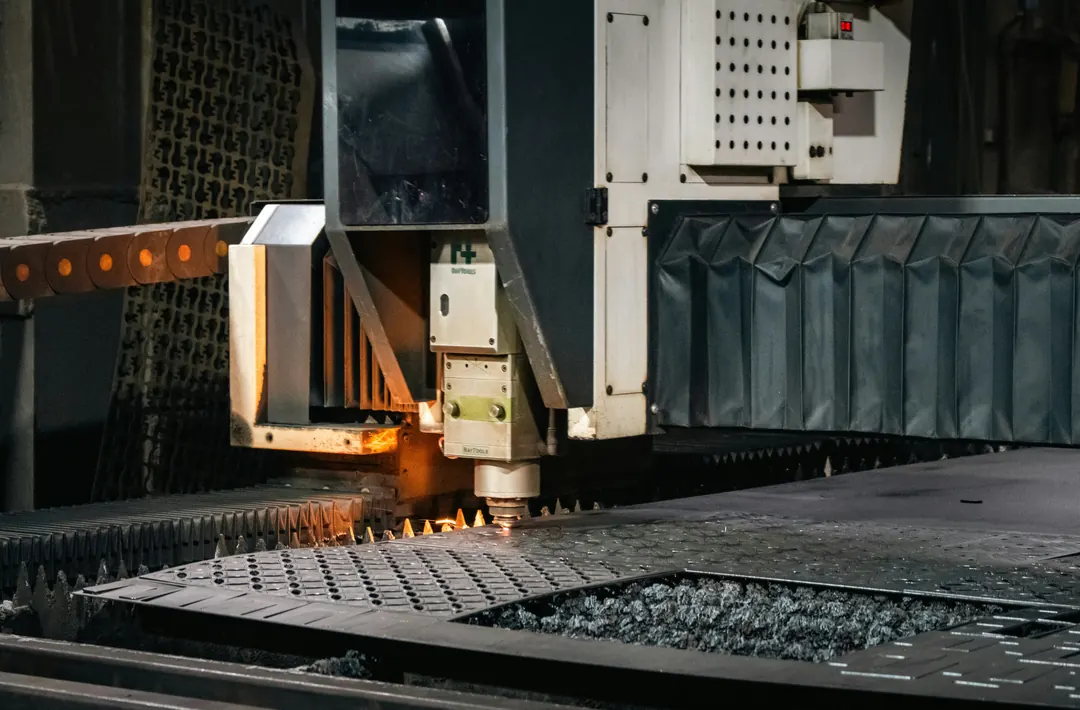
Jobs move between cutting, welding and finishing on whiteboards, and progress is chased by walking the floor.
- Job boards by operation and station
- Live status from the people doing the work
- Visual boards for the floor
Built to orderDiscuss this application
Equipment, plant & fleet
Pre-start checks and faults live on paper that rarely makes it back to the office.
- QR labels on every asset
- Phone pre-starts and fault photos
- Full maintenance and inspection history

Warehousing & logistics
Stock counts drift, pickers walk the long way, and reorder points live in someone’s head.
- Bin-level stock and replenishment rules
- Routed picking for people and robots
- A digital twin of your layout
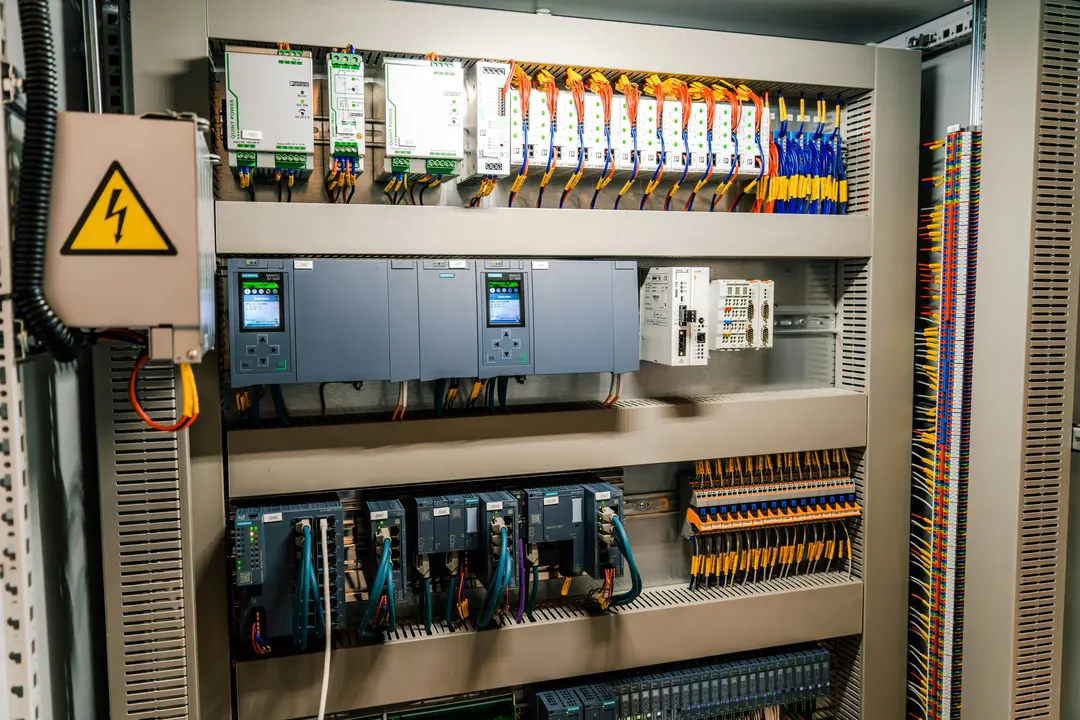
Operational automation
The same information is typed into three systems, and alerts depend on someone remembering to check.
- Integrations between existing systems
- Rules that trigger tasks and alerts
- Scheduled reports
Built to orderDiscuss this application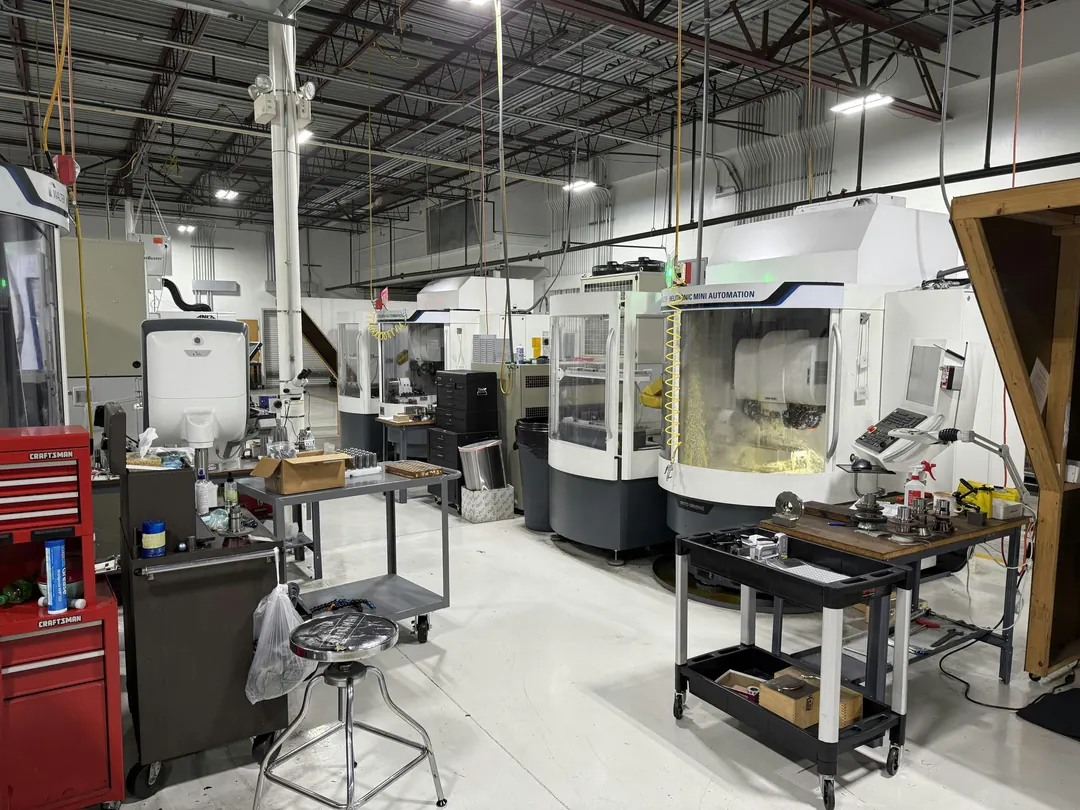
Workshops & maintenance
Tools, parts and work orders are tracked in a diary, a spreadsheet and somebody’s memory.
- Work orders and scheduling
- Parts and tool locations
- 5S audits and red-tag logs
Built to orderDiscuss this application
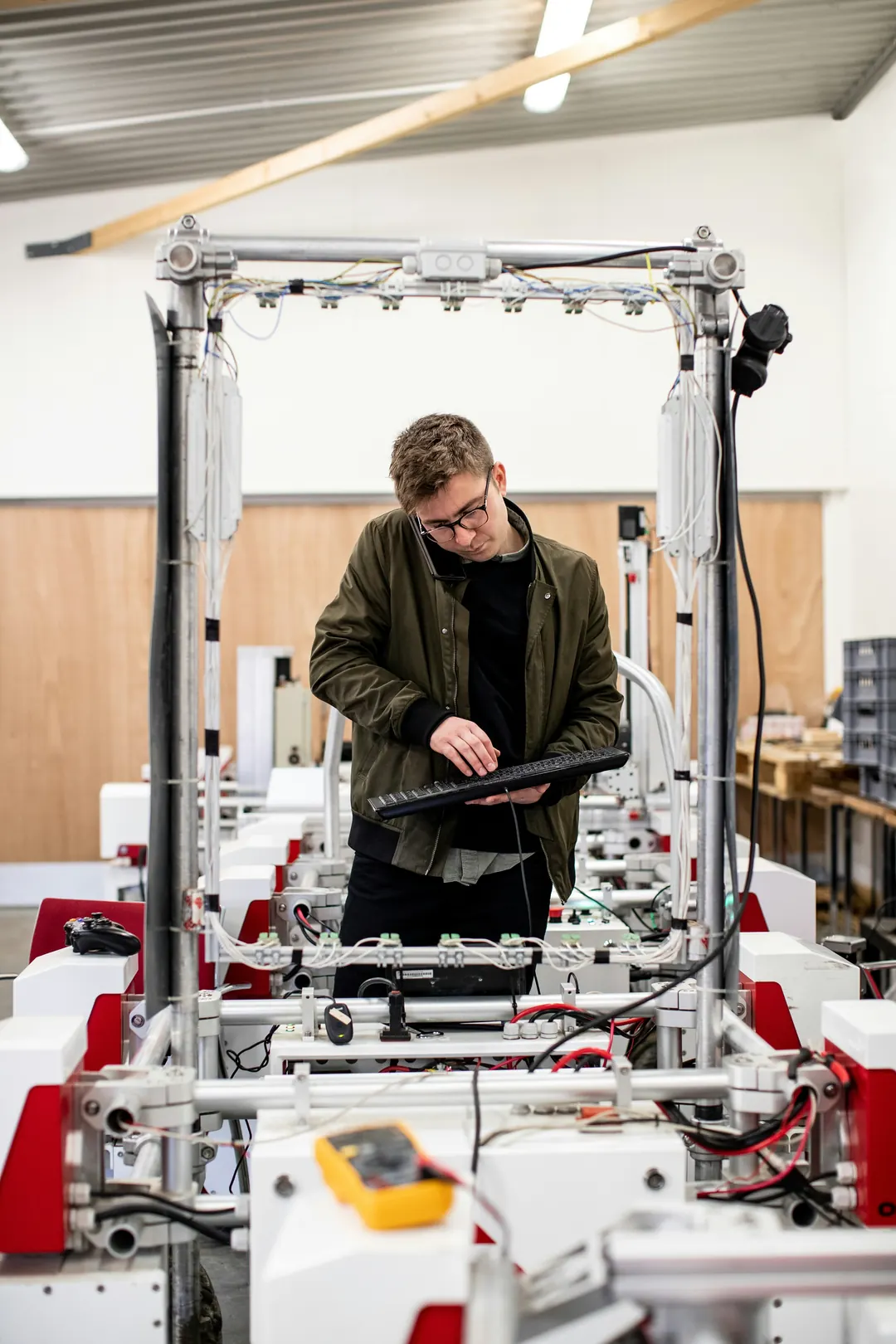
Representative photography — the people and businesses pictured are not Vantix Automation customers or staff. Image credits
Products & work
Available software, a case study, a functional demonstration and four interactive concepts — each labelled with its real status, and each designed from scratch for the work it supports.
Functional demonstration Warehouse automation & robotics
Vantix Warehouse OS
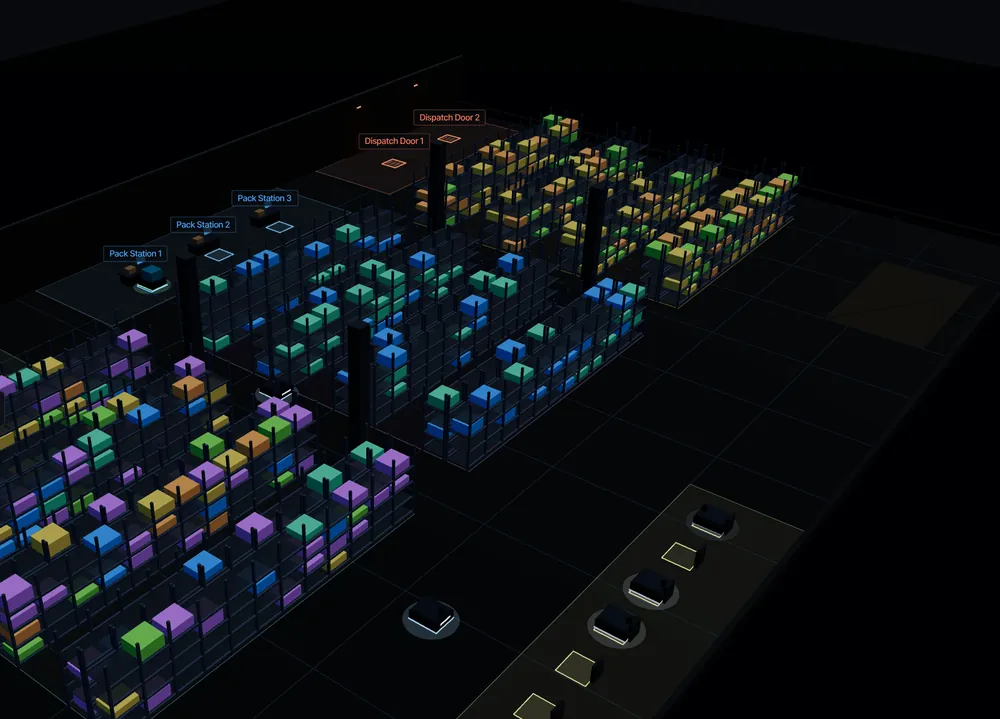
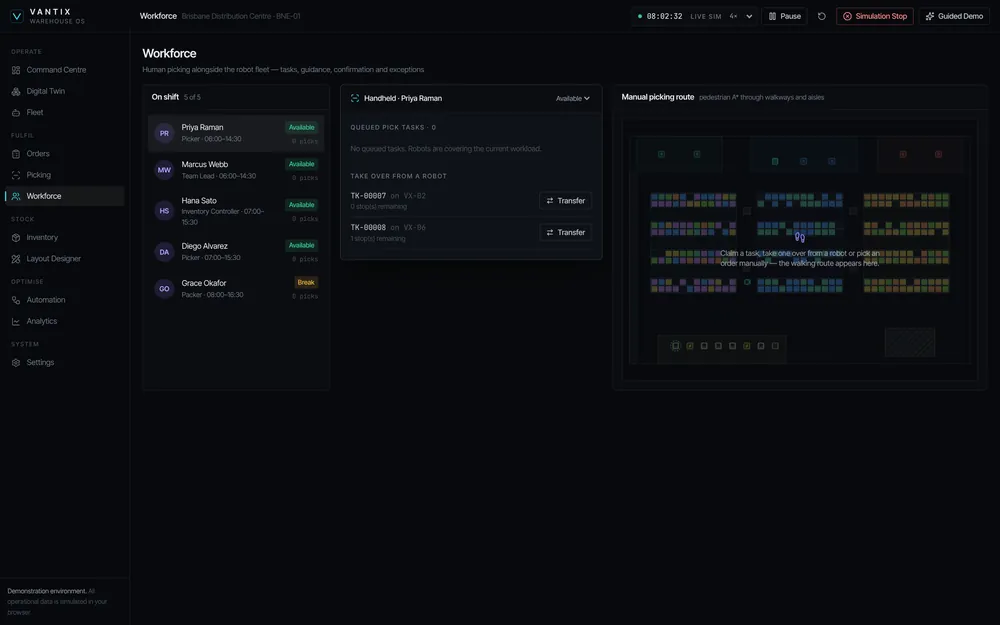
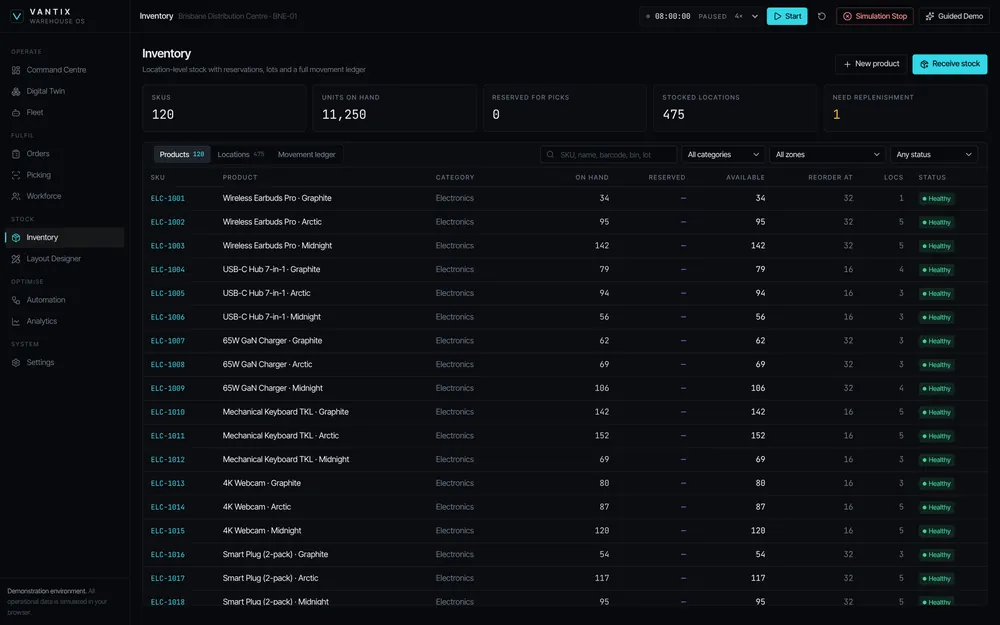
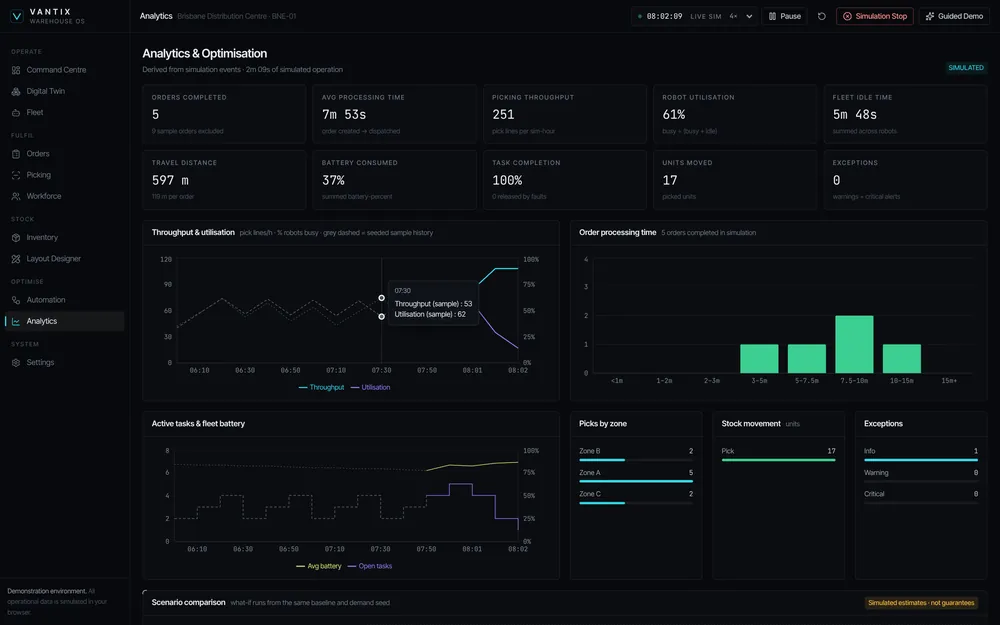
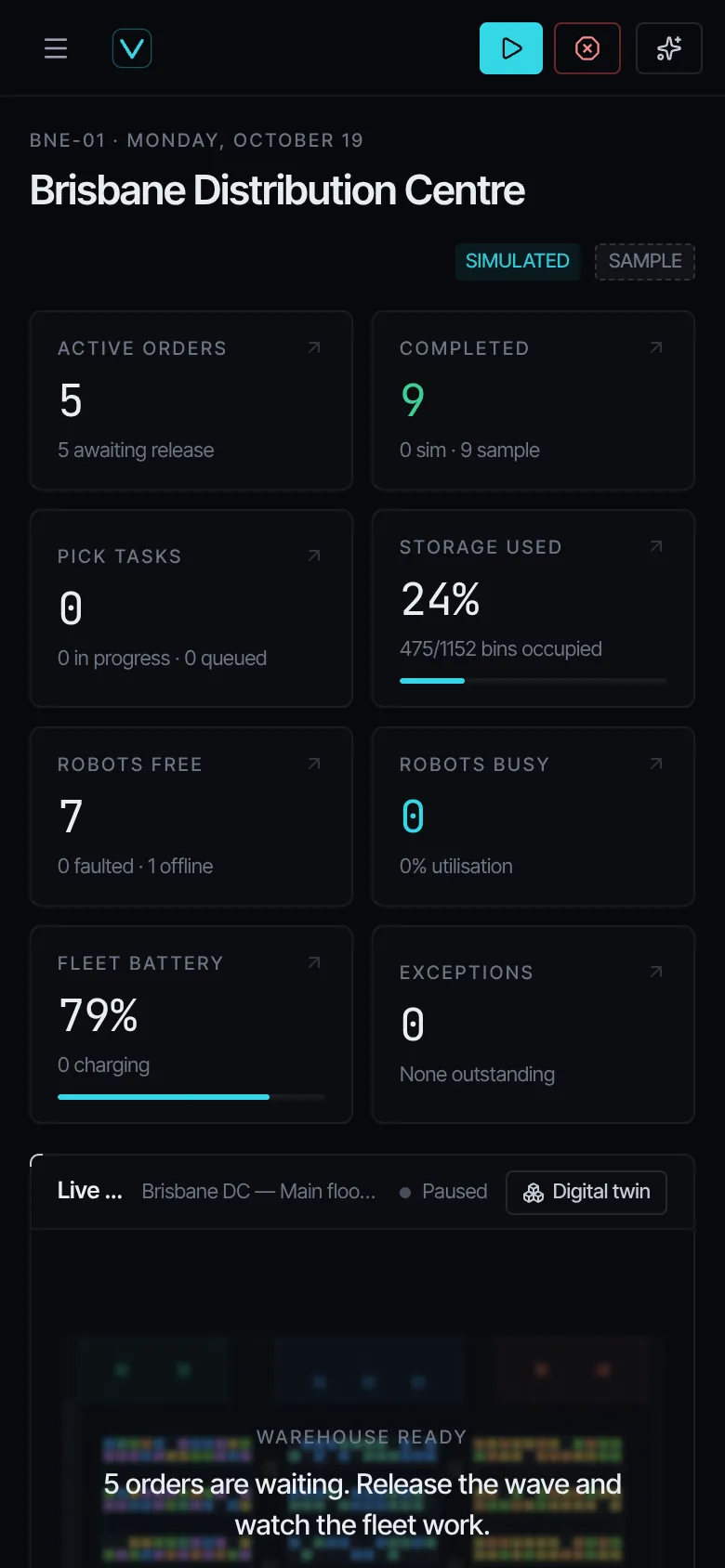
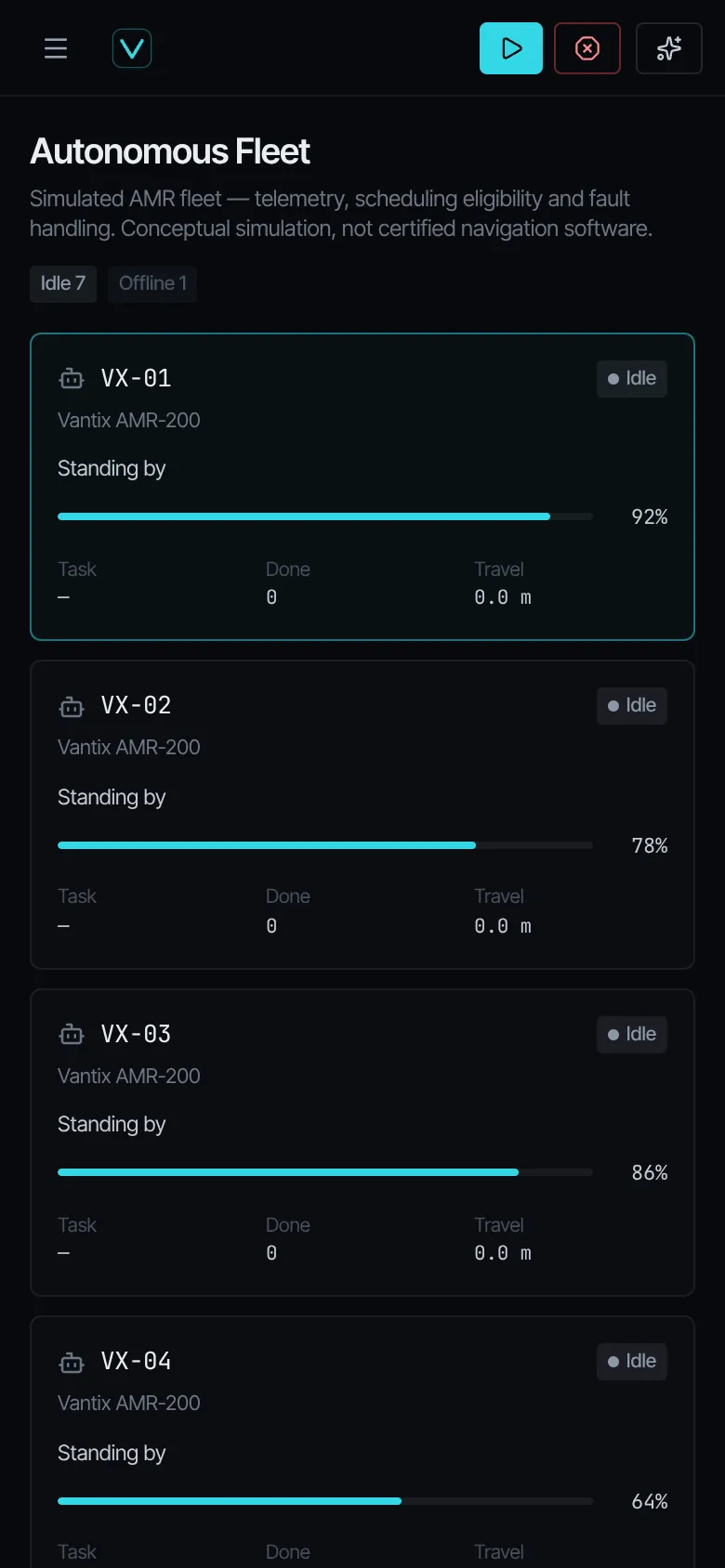
Explore a new approach to warehouse operations. From interactive 3D digital twins and intelligent picking to autonomous fleet coordination and workflow automation, Vantix Warehouse OS brings complex operations together in one connected platform.
Designed for the next generation of warehouse automation.
Functional demonstration with simulated robotics and data — not a production-deployed autonomous system.
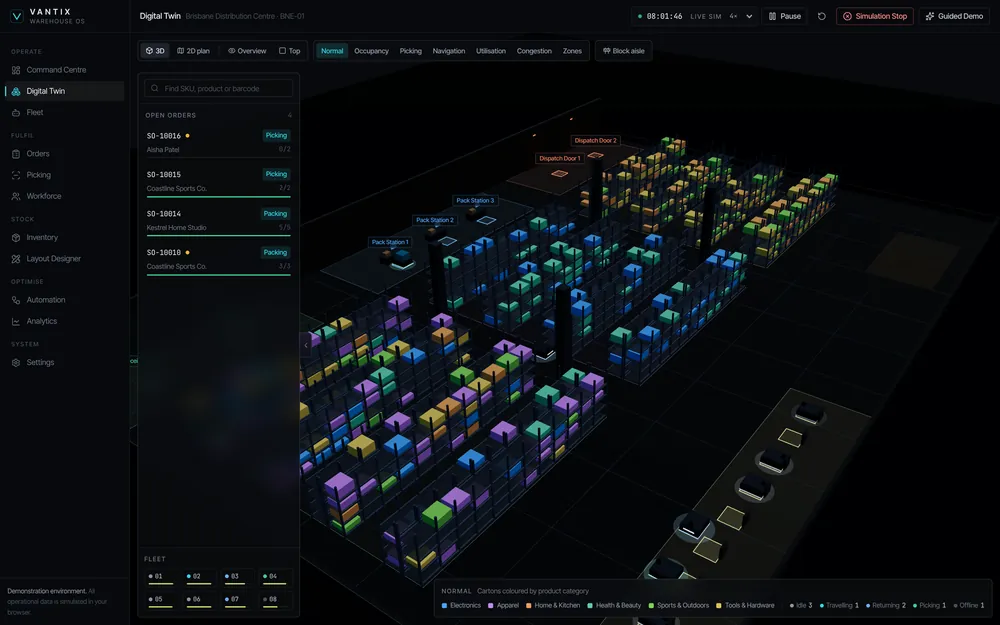
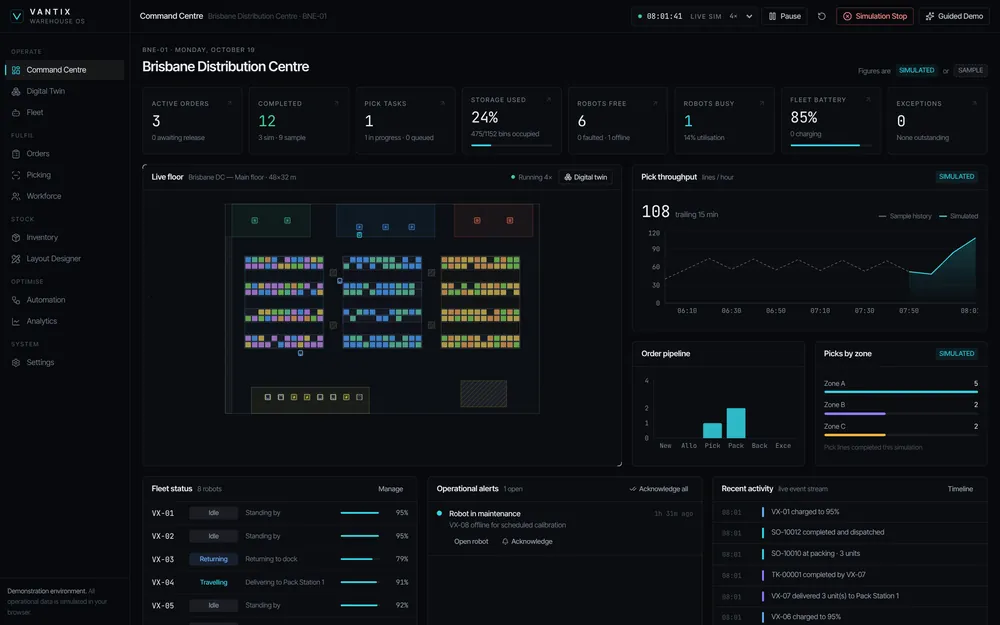
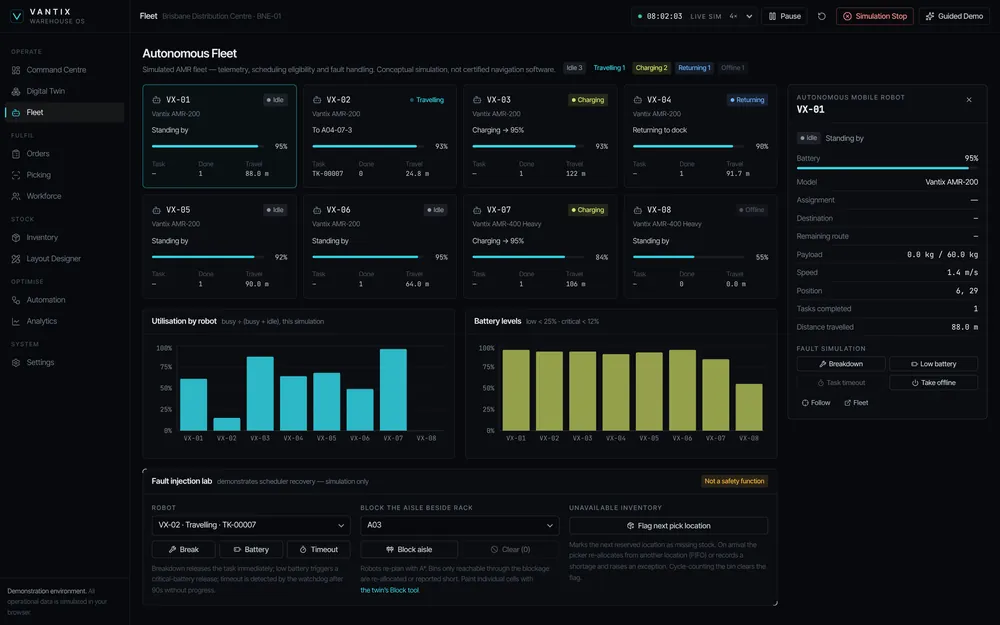
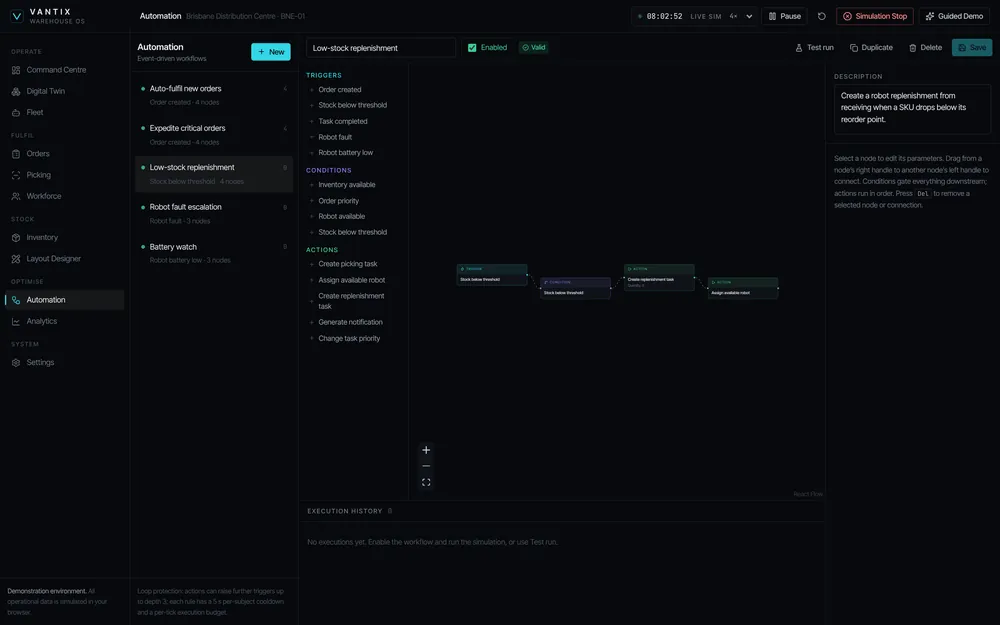
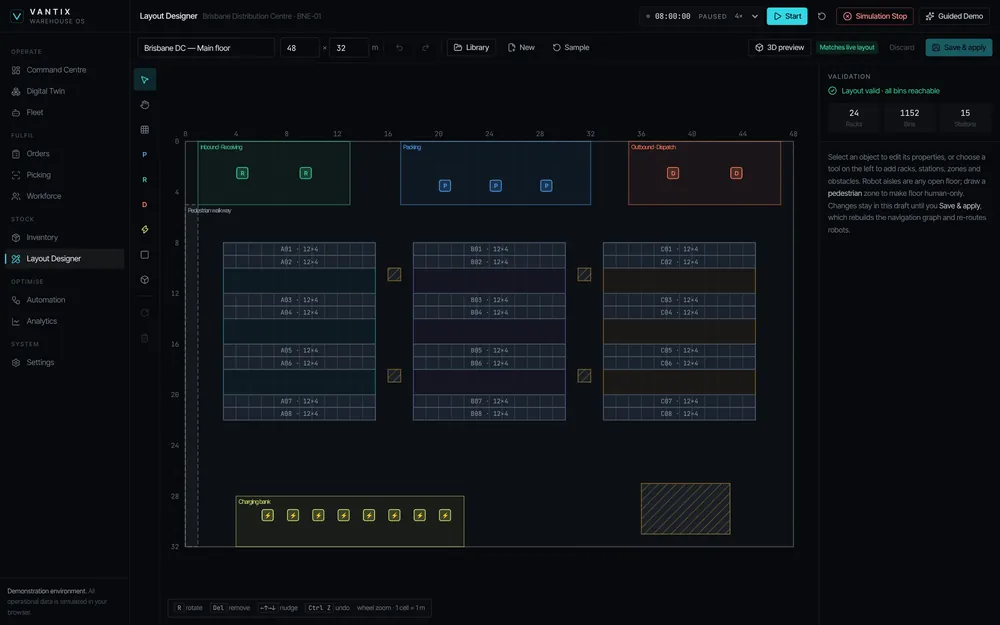
Digital twin
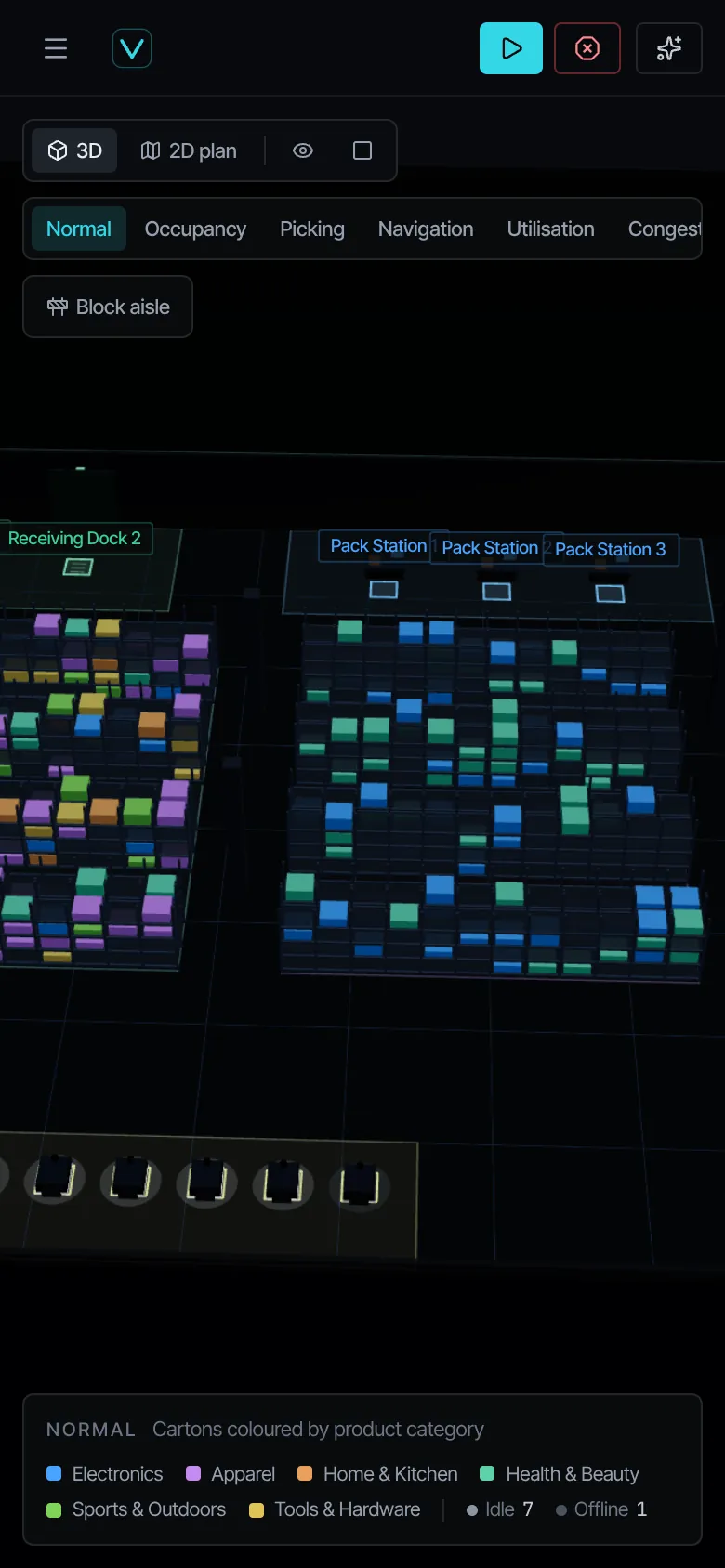
The whole warehouse in 3D or 2D plan. Switch overlays for occupancy, picking, navigation, utilisation, congestion and zones, and inspect any rack, bin, robot or station.
Screens captured from the running application, including its responsive phone layout.
Pulse
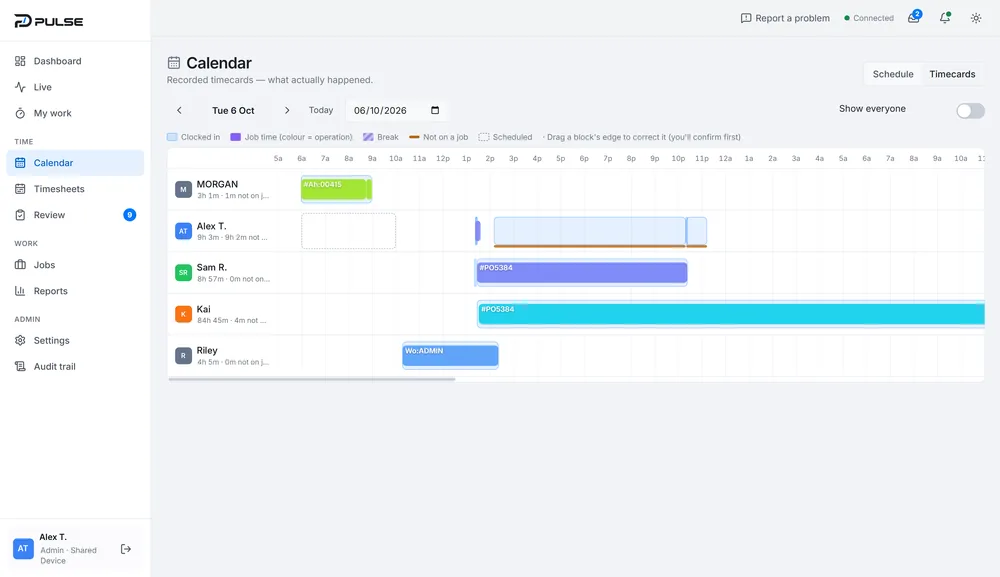
Time, jobs and people on the workshop floor — recorded as it happens.
- Shared-device sign-inTap your name, enter a PIN. Office sign-in and a kiosk mode for the floor. PINs are never stored in readable form.
- Start work, clock inOne large action starts the first job and clocks the employee in. Next shift and outstanding timesheets are surfaced up front.
- Jobs with real hoursOpen, active, paused, completed and archived jobs, searchable and filterable by prefix and status, with actual hours recorded against each.
- Import from MRPeasyJobs can be imported from the business’s existing MRPeasy manufacturing system rather than re-keyed.
AssetForge
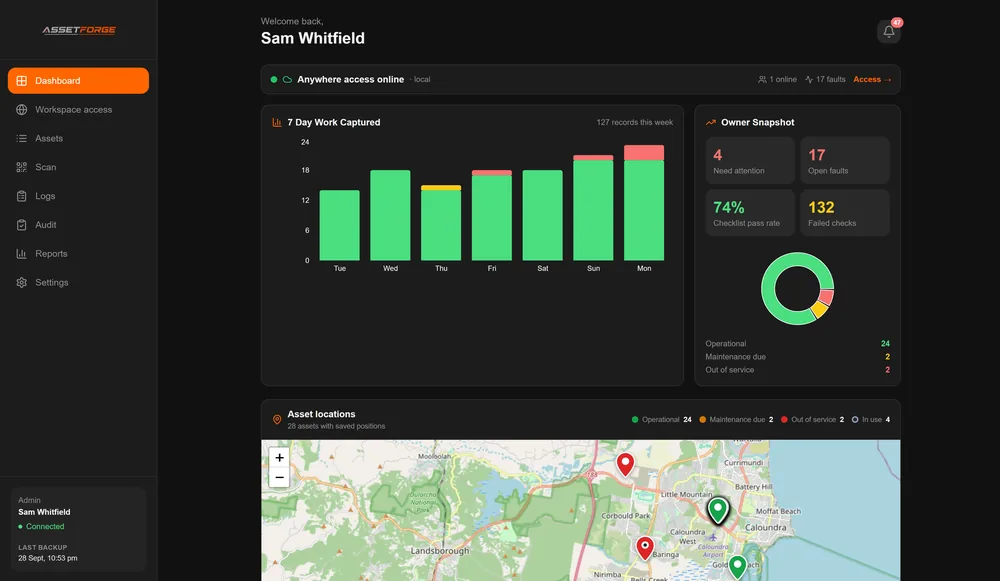
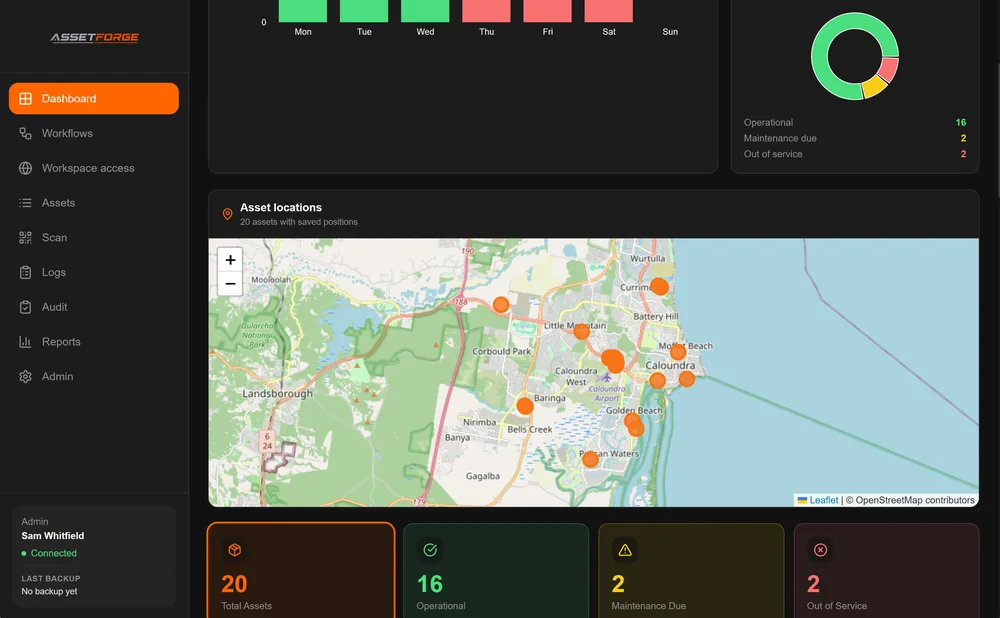
Workshop asset management without the paper trail — QR labels, digital pre-starts and fault reporting from the phones your crew already use.
- Asset registerPlant, trucks, light vehicles and small equipment with IDs, categories, locations and operational status.
- Owner snapshotAssets needing attention, open faults, checklist pass rate and failed checks — on one screen.
- Work captured, by daySeven days of captured records, with issues called out against each day.
- Asset locations mapSaved asset positions plotted by status: operational, maintenance due, out of service, in use.
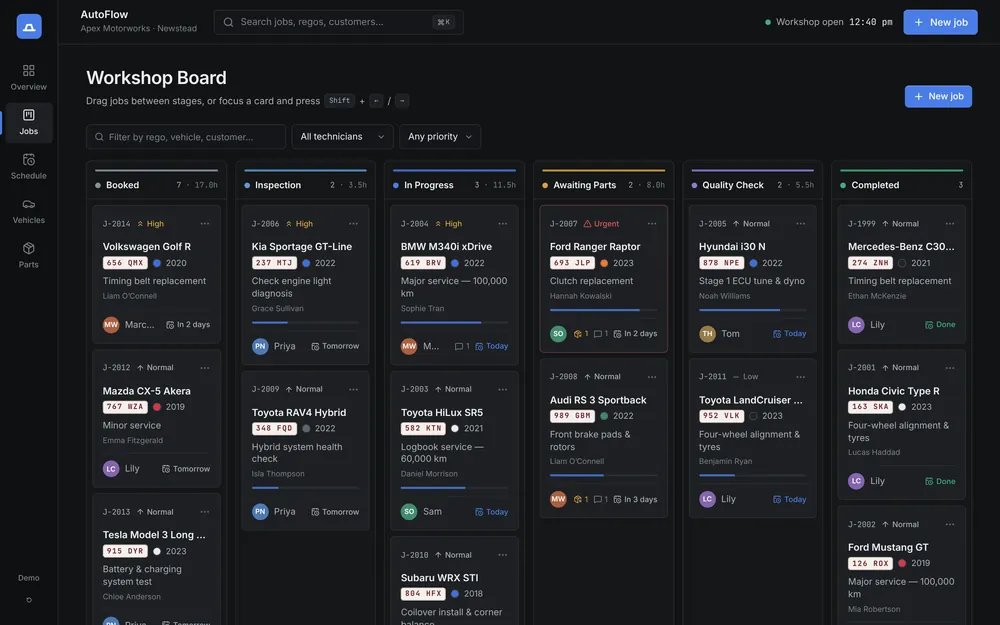
Four working concepts you can use right now.
Fully interactive demonstrations with fictional data. Drag cards, reschedule tasks, raise quotes — then reset and start again.
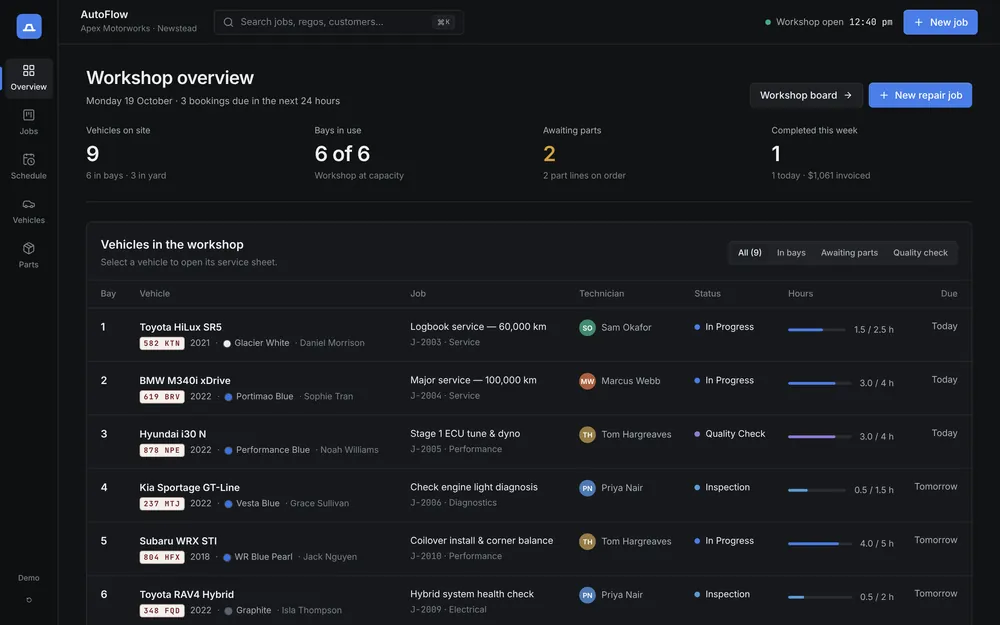
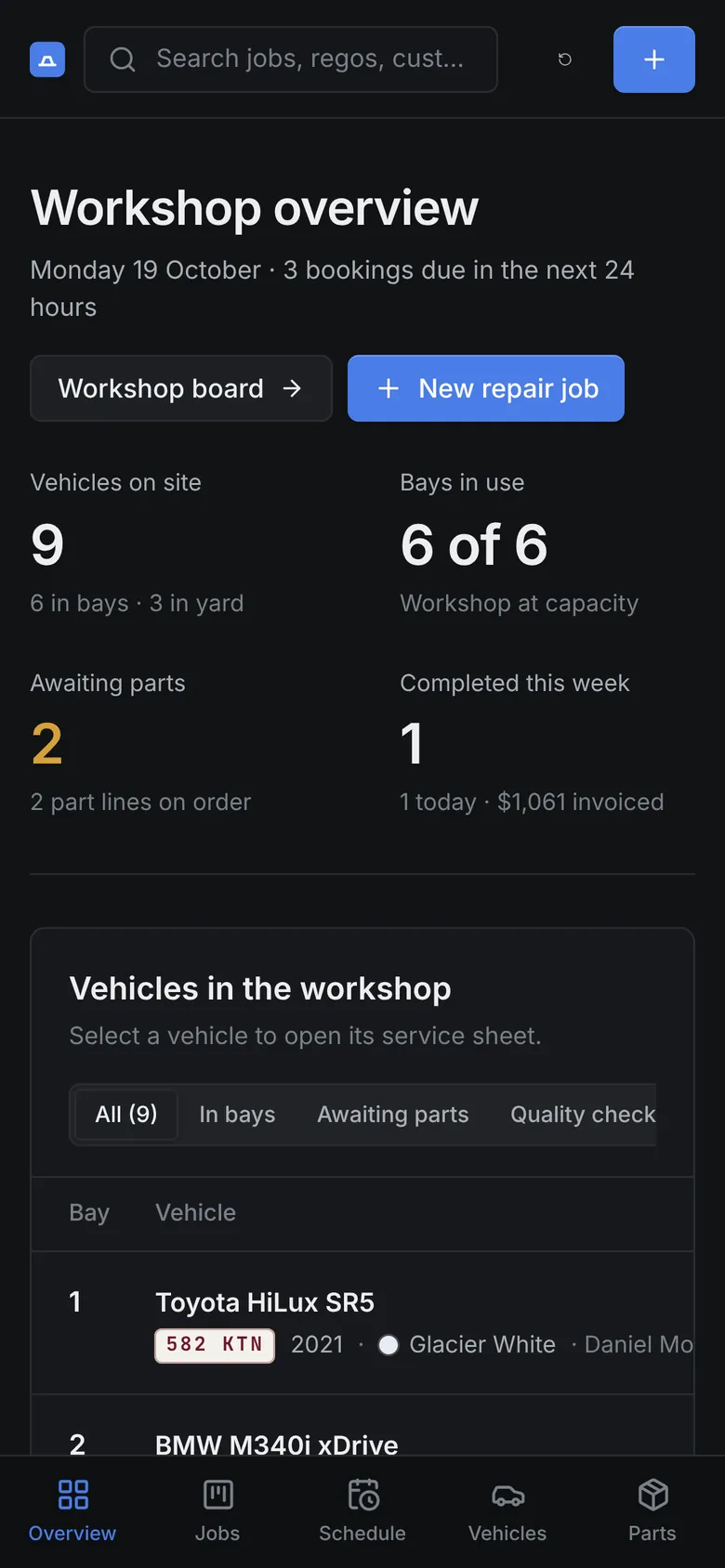
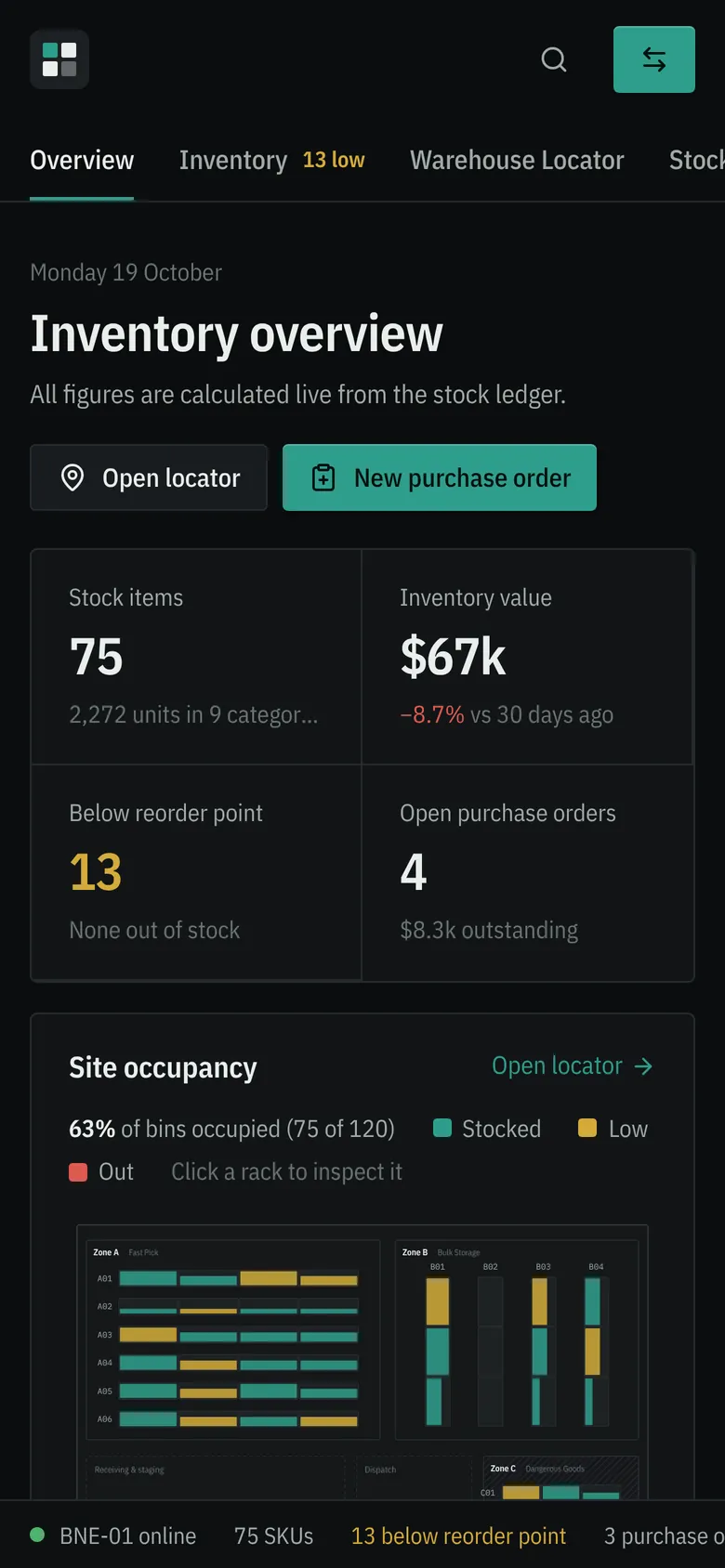
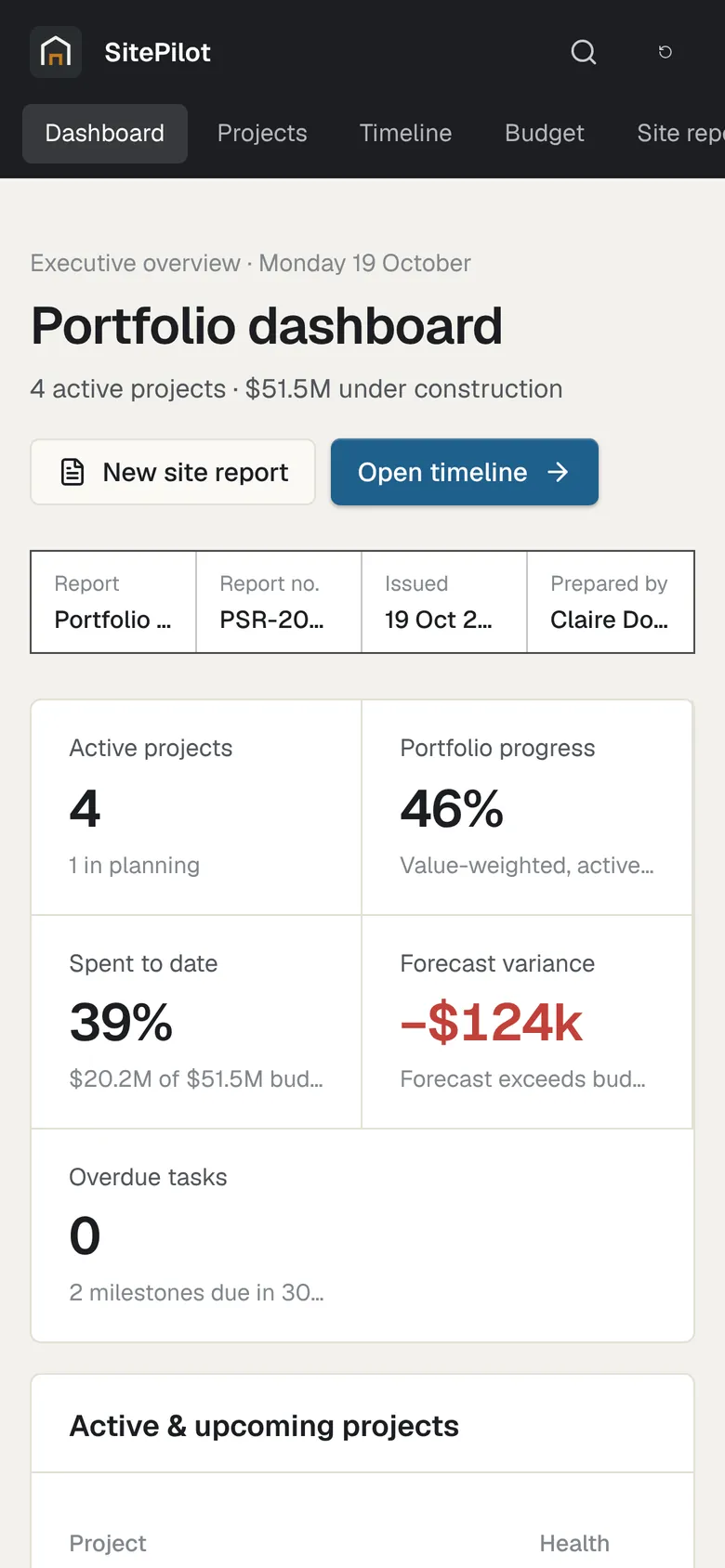
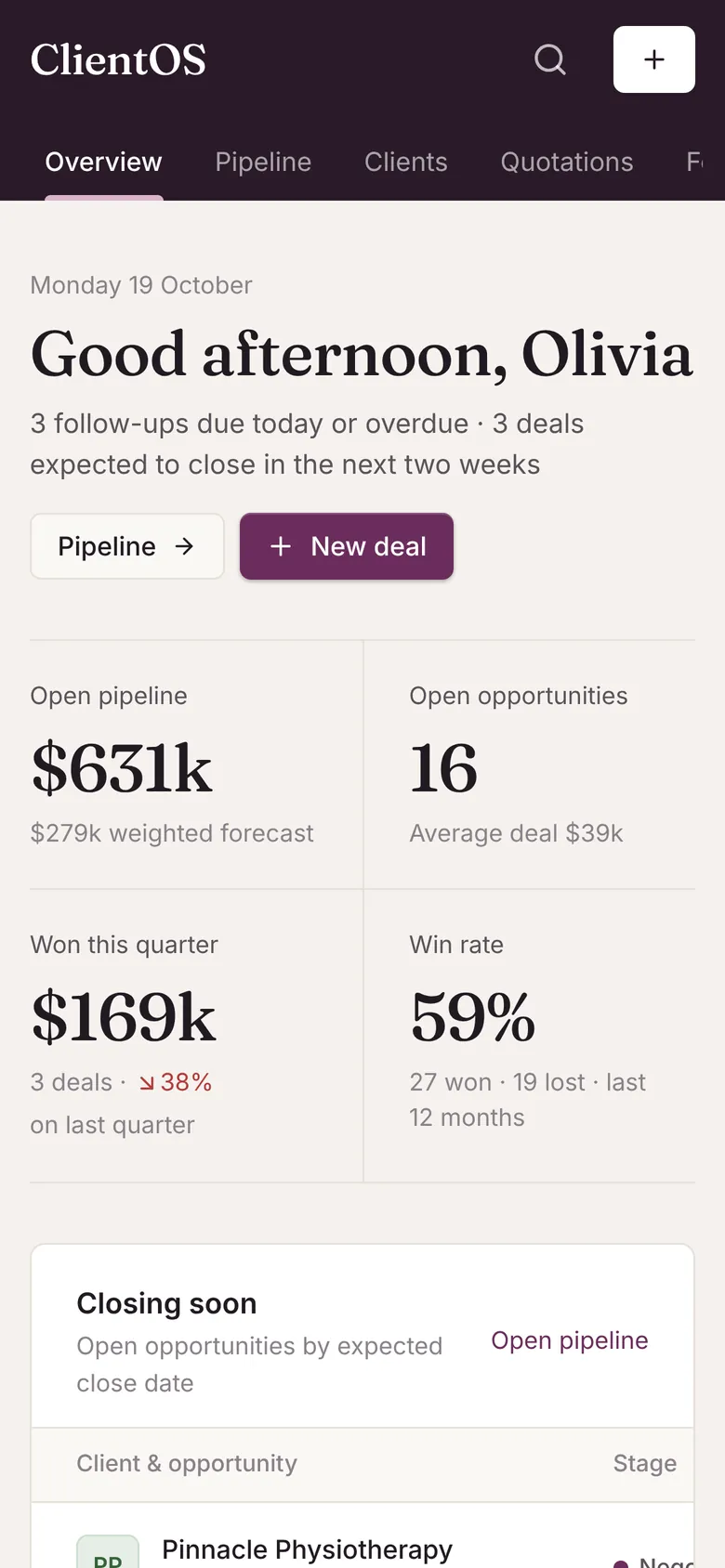
Bookings, bays, technicians and parts for a busy service centre.
Concept demo Fictional data, saved only in your browser.
Connected software for the people managing the business and the people making it happen.
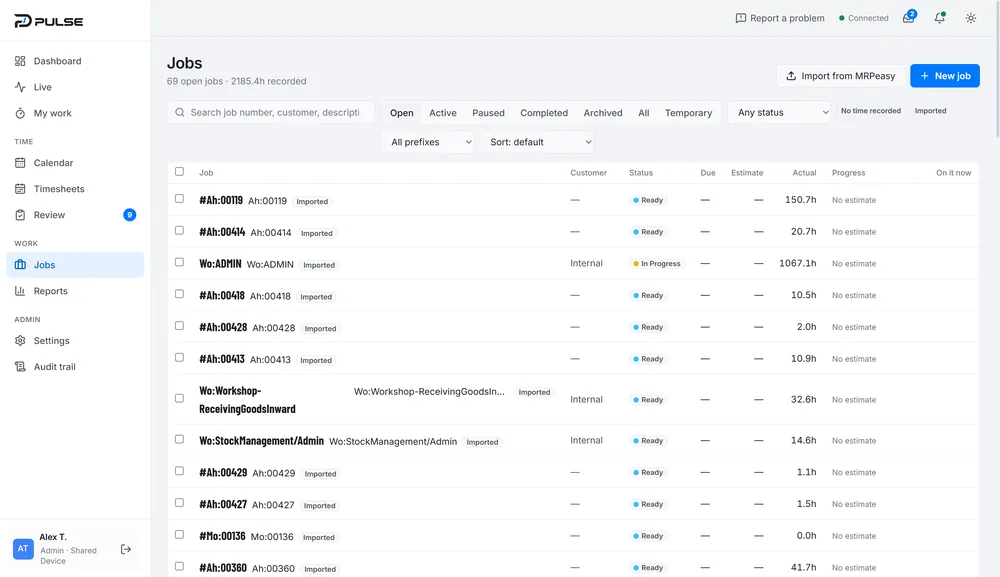
G’day, Alex
Monday 19 October
Not clocked in
Start work to clock in and start your first job.
Next shift Tue 20 Oct, 6:00–10:00 am
Starting a job clocks you in automatically.
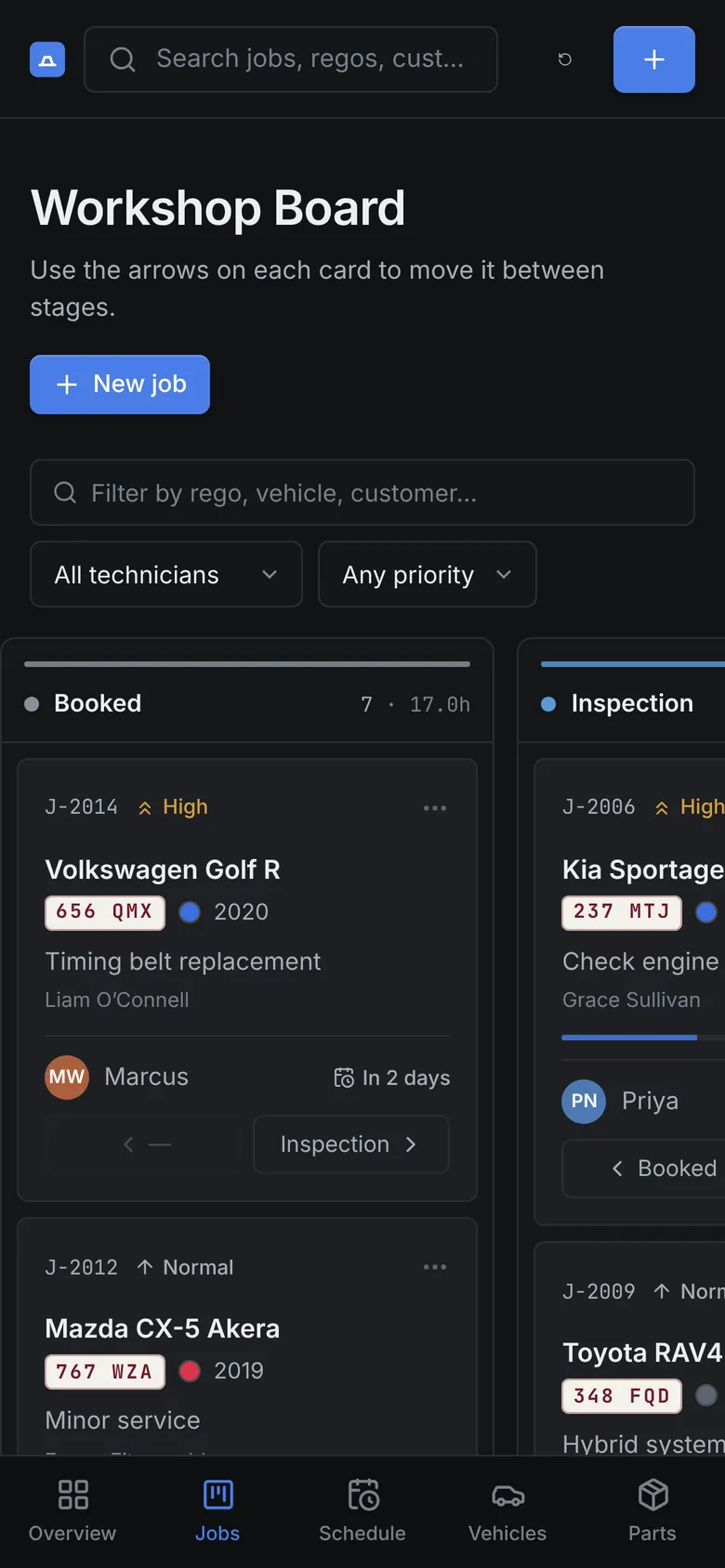
In the office
Managers see every open job and the hours recorded against it.
On the floor
Staff tap their name, enter a PIN and start work. Clock-in happens automatically.
Pulse desktop screenshot. The phone shows an illustration of the My Work layout at mobile size.
Lean operations & automation
Every unnecessary walk, wait and re-keyed job is friction. We build software around how your workshop runs, so information comes to the work — and 5S, inspections and improvements actually stick.
Explore Lean & automationWhat we build
Seven kinds of work, described by what they change for your business.
When your process is what sets you apart, generic software forces you to work around it. We build the system around the process instead — your terminology, your steps, your approvals.
- Job and production management
- Quoting and estimating
- Compliance and inspection records
Secure, browser-based platforms your whole team can use from the office, the road or the floor — with roles, permissions and an audit trail where it matters.
- Operations dashboards
- Customer and supplier portals
- Internal admin tools
Interfaces designed for gloves, glare and shared devices: big targets, fast sign-in, and nothing on screen that the person in front of it doesn’t need.
- Time and job tracking
- Pre-start checks and inspections
- Kiosk and shared-device modes
Information entered once, then moved where it needs to go — between your accounting, manufacturing, CRM and inventory systems — without anyone re-keying it.
- Imports from existing systems
- Accounting and ERP connections
- Scheduled reports and alerts
Software that supports how a Lean workplace runs: locations for everything, inspections and audits that actually happen, time and jobs recorded at the source, and visual boards that show the standard and today’s status.
- 5S audits and red-tag logs
- Shadow boards and location codes
- Live production visibility
Practical AI where it earns its place: summarising notes, extracting data from documents, drafting replies, flagging anomalies. Always with a person able to check the result.
- Document and email extraction
- Smart search across records
- Drafting and summarising
Keep what works about your spreadsheets — the flexibility, the familiarity — and lose the version conflicts, broken formulas and single points of failure.
- Migrating data you already have
- Real-time visibility for managers
- Validation that prevents bad data
What could we build for you?
Pick the kind of business closest to yours. These are examples of what’s possible — the real thing starts with how your business works.
The problem
Job costing relies on paper timesheets, and nobody knows what’s on the floor until the end of the week.
What we might build
- Shared-device clock-in against jobs
- Live view of who is on what
- Actual vs estimated hours per job
- Imports from your MRP or ERP
How we work
We learn how your business operates before we design anything. Every project follows the same five stages — scaled to its size.
- 01
Discover
We learn how your business actually runs — on the floor, in the office, and in the spreadsheets. We map the process before we suggest any software.
- 02
Design
Screens and workflows you can click through and critique, shaped with the people who’ll use them every day.
- 03
Build
Working software delivered in stages, so you see real progress and can steer it while there’s still time to change direction.
- 04
Refine
Real use surfaces real friction. We tune the details, migrate your data and get your team comfortable.
- 05
Support
Hosting, fixes and improvements as your business changes. The software keeps fitting because we keep it fitting.
Tell us what you want to build or fix. A short description is plenty — we’ll reply to talk it through.