

What it does
Pulse runs the day-to-day of a production workshop. Staff sign in on a shared device with a PIN, start work against a job and are clocked in automatically. Managers see every job’s recorded hours, review timecards against the schedule, and correct the record with an audit trail behind it.
Case study · available soon Built for a specific business; screenshots have identifying details replaced. A wider release is planned. Register your interest and we’ll let you know when it is released.
Screenshots are from the working application; names and identifying details have been replaced. Screens shown here are images, not an interactive demo.
Capabilities
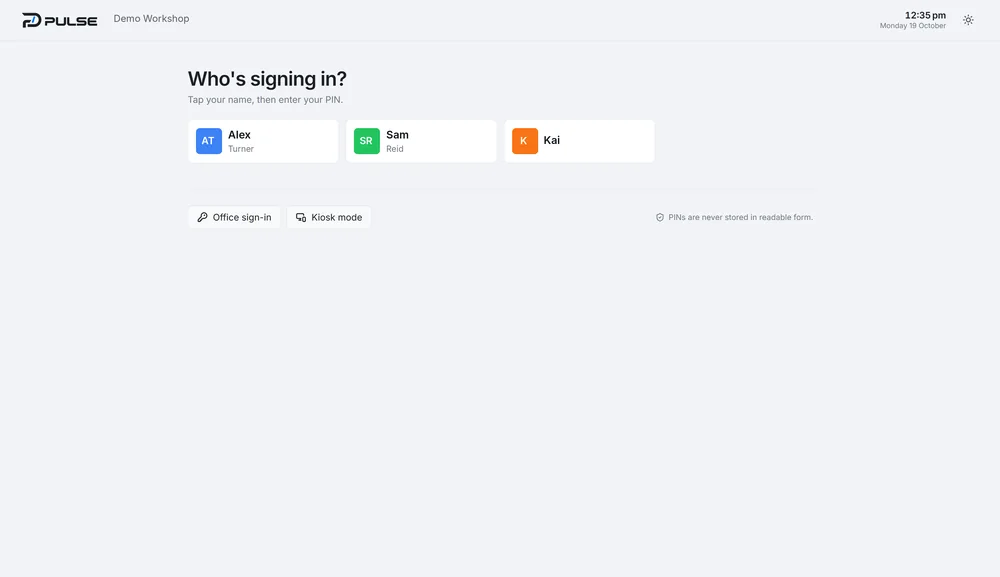
Shared-device sign-in
Tap your name, enter a PIN. Office sign-in and a kiosk mode for the floor. PINs are never stored in readable form.
Start work, clock in
One large action starts the first job and clocks the employee in. Next shift and outstanding timesheets are surfaced up front.
Jobs with real hours
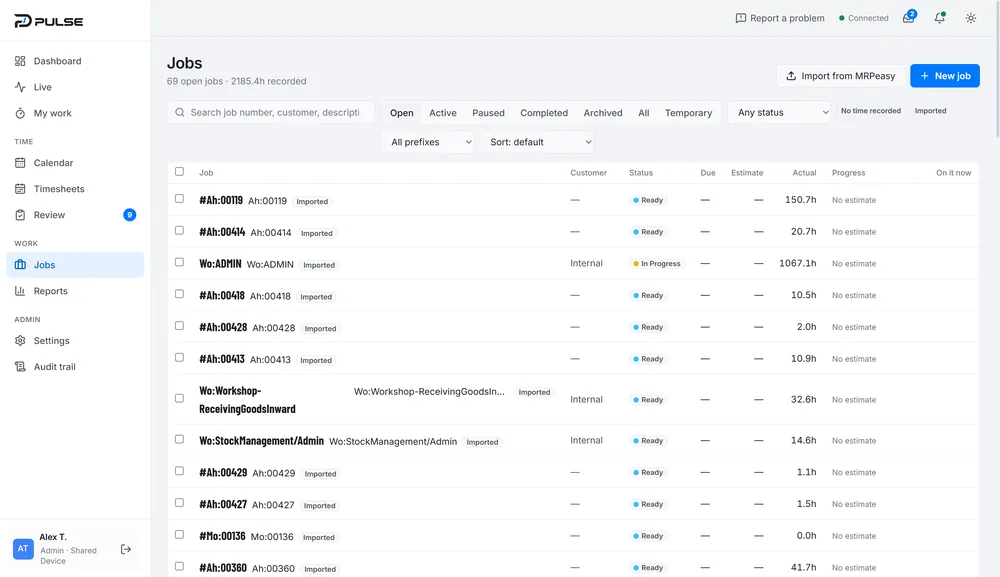
Open, active, paused, completed and archived jobs, searchable and filterable by prefix and status, with actual hours recorded against each.
Import from MRPeasy
Jobs can be imported from the business’s existing MRPeasy manufacturing system rather than re-keyed.
Timecards on a calendar
What actually happened, per person: clocked-in time, job time coloured by operation, breaks and time not on a job, alongside the schedule.
Corrections with oversight
Drag a block’s edge to correct a timecard — with confirmation — plus a review queue and audit trail.
Lean connection
Less friction, built in.
Pulse removes waiting, walking and re-keying from the workshop floor: the next job is on screen, time is recorded as work happens, and jobs come in from the MRP system instead of being typed again.
- Start work clocks the employee in automatically
- Jobs imported from MRPeasy
- Recorded timecards against the schedule
- Review queue and audit trail for corrections
Listed features exist in the application today.
Explore Lean & automation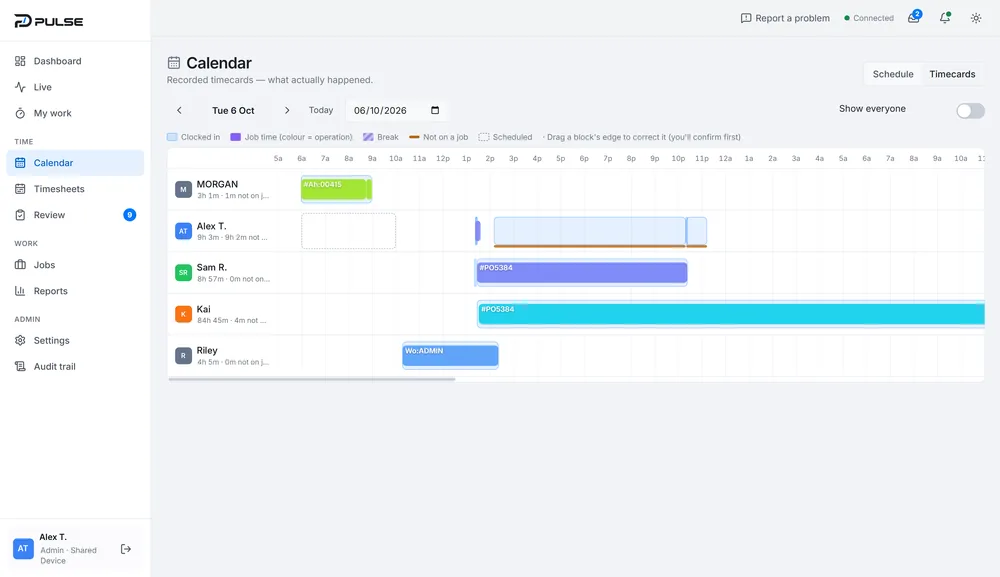
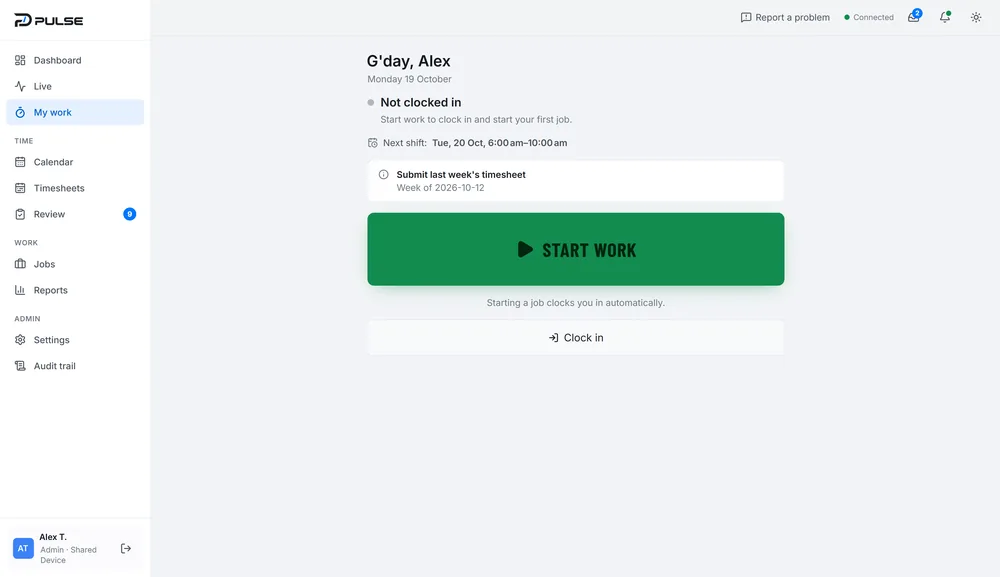
G’day, Alex
Monday 19 October
Not clocked in
Start work to clock in and start your first job.
Next shift Tue 20 Oct, 6:00–10:00 am
Starting a job clocks you in automatically.